使用Cloudflare Workers自建完全免费Docker镜像
本方法 不需要服务器 也不需要域名
自月初docker镜像被封禁之后,国内的镜像源也同步都停掉了。国内服务器拉取镜像变得完全不方便。
目前有几种方法
- 挂代理, 给配置文件增加代理
proxy配置; - 自建转发服务器,配置文件增加
registry-mirrors镜像源:- 自建服务器,给
nginx配置反向代理, 如crproxy; - 蹭Cloudflare Workers免费资源,手动写请求转发代码,如cloudflare-docker-proxy
- 自建服务器,给
最终我选择了Cloudflare Workers方式,因为这个方法完全不需要服务器,甚至也不需要域名,只需要注册一个cloudflare帐号就能用。
我真的服了cloudflare也是太大方了,真的什么都给大家免费用。
基本原理是在cloudflare上建一个Worker,将代理转发的代码放进去执行就行了。平台会自动生成一个公网域名,在docker配置里将这个域名设置成镜像地址就行。如果有自己的域名,可以绑定就行。比如我绑定了域名 dhub.xjp.in。
大家可以随便用,反正免费。到配置里加registry-mirrors配置就可以了,然后重启docker服务
{
  "registry-mirrors": [
     "dhub.xjp.in"
  ]
}
具体配置文件在哪,不同系统不同安装方式不一样,大家自己看文档就行。
如果不想改配置,可以拉取镜像的时候加上这个域名,比如这样也行:
docker pull dhub.xjp.in/nginx:1-alpine
登录https://dash.cloudflare.com/之后,进Cloudflare Workers页面,直接创建一个worker。
然后一路保存,完成创建,然后部署。
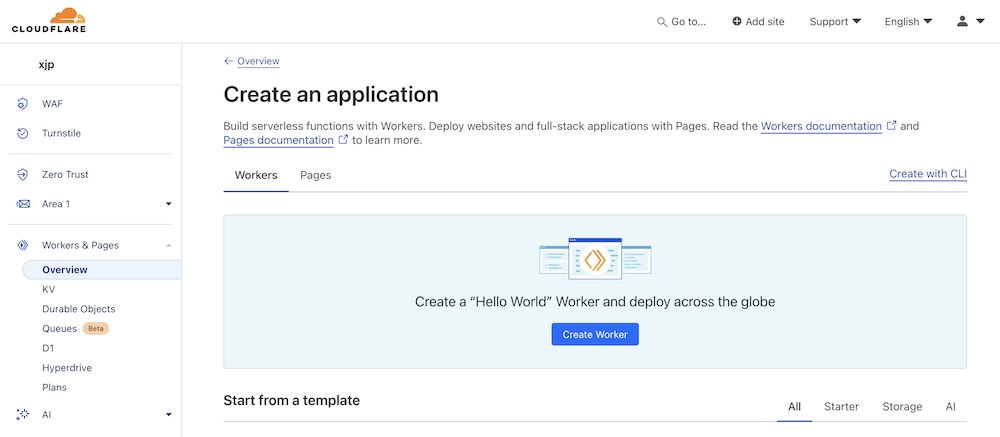
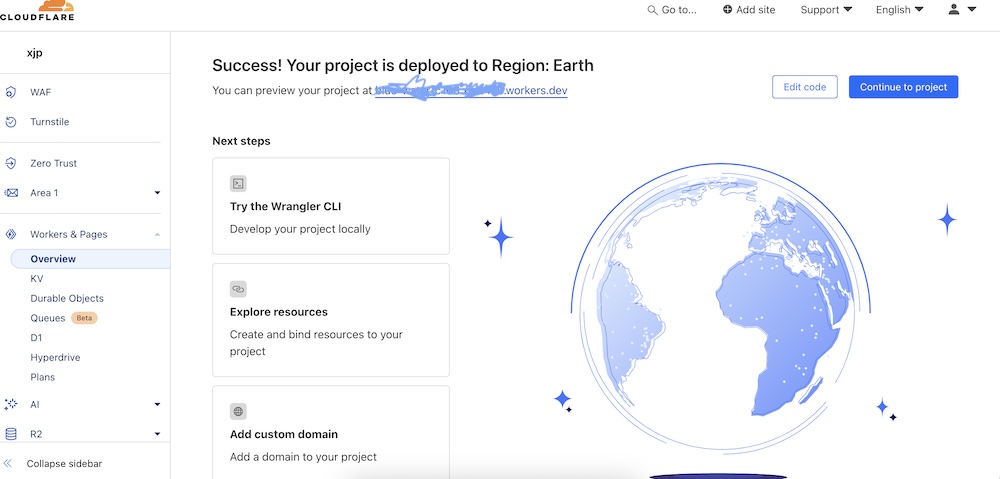
到设置页面,可以看到一个域名,访问的话会是一个Hello World。同时这里可以绑定域名,不过要求的域名必须是已经绑定到cloudflare上的。不绑定域名后续的镜像也能正常使用。
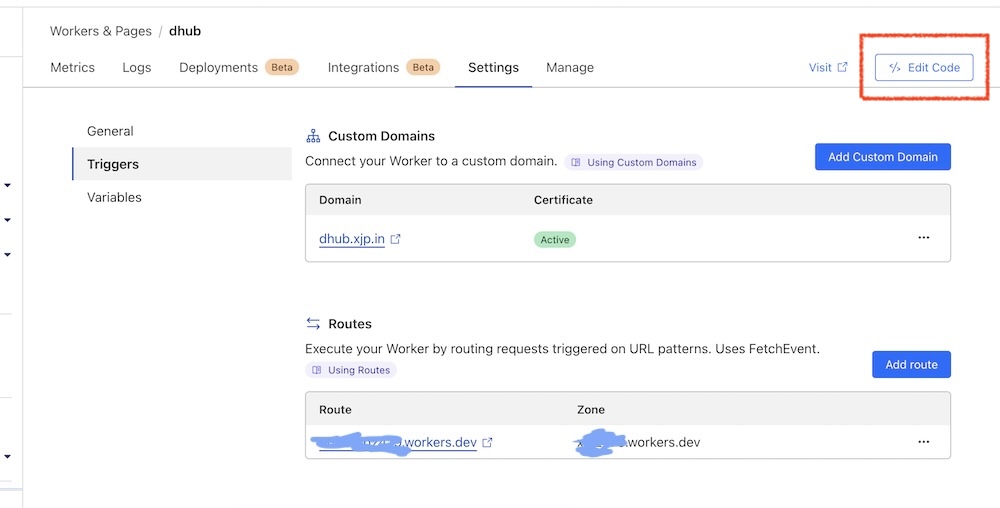
然后进入代码编辑页,将cloudflare-docker-proxy生成的代码贴进去就行了。实际上就一个代码文件,但是硬是创建了一个项目,又臭又长。
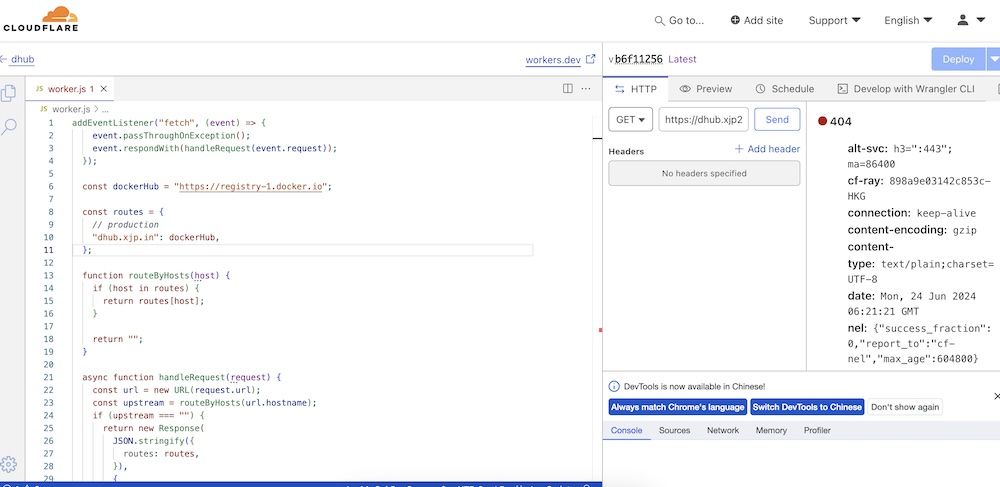
我以这个项目为基础,手动改了一个配置。源项目里包含了其他镜像,这里就没保留。
  addEventListener("fetch", (event) => {
    event.passThroughOnException();
    event.respondWith(handleRequest(event.request));
  });

  const dockerHub = "https://registry-1.docker.io";

  const routes = {
    // 这里要改成你用来访问的域名,可以用它拉取容器镜像
    "dhub.xjp.in": dockerHub,
  };

  function routeByHosts(host) {
    if (host in routes) {
      return routes[host];
    }

    return "";
  }

  async function handleRequest(request) {
    const url = new URL(request.url);
    const upstream = routeByHosts(url.hostname);
    if (upstream === "") {
      return new Response(
        JSON.stringify({
          routes: routes,
        }),
        {
          status: 404,
        }
      );
    }
    const isDockerHub = upstream == dockerHub;
    const authorization = request.headers.get("Authorization");
    if (url.pathname == "/v2/") {
      const newUrl = new URL(upstream + "/v2/");
      const headers = new Headers();
      if (authorization) {
        headers.set("Authorization", authorization);
      }
      // check if need to authenticate
      const resp = await fetch(newUrl.toString(), {
        method: "GET",
        headers: headers,
        redirect: "follow",
      });
      if (resp.status === 401) {

          headers.set(
            "Www-Authenticate",
            `Bearer realm="https://${url.hostname}/v2/auth",service="cloudflare-docker-proxy"`
          );
        return new Response(JSON.stringify({ message: "UNAUTHORIZED" }), {
          status: 401,
          headers: headers,
        });
      } else {
        return resp;
      }
    }
    // get token
    if (url.pathname == "/v2/auth") {
      const newUrl = new URL(upstream + "/v2/");
      const resp = await fetch(newUrl.toString(), {
        method: "GET",
        redirect: "follow",
      });
      if (resp.status !== 401) {
        return resp;
      }
      const authenticateStr = resp.headers.get("WWW-Authenticate");
      if (authenticateStr === null) {
        return resp;
      }
      const wwwAuthenticate = parseAuthenticate(authenticateStr);
      let scope = url.searchParams.get("scope");
      // autocomplete repo part into scope for DockerHub library images
      // Example: repository:busybox:pull => repository:library/busybox:pull
      if (scope && isDockerHub) {
        let scopeParts = scope.split(":");
        if (scopeParts.length == 3 && !scopeParts[1].includes("/")) {
          scopeParts[1] = "library/" + scopeParts[1];
          scope = scopeParts.join(":");
        }
      }
      return await fetchToken(wwwAuthenticate, scope, authorization);
    }
    // redirect for DockerHub library images
    // Example: /v2/busybox/manifests/latest => /v2/library/busybox/manifests/latest
    if (isDockerHub) {
      const pathParts = url.pathname.split("/");
      if (pathParts.length == 5) {
        pathParts.splice(2, 0, "library");
        const redirectUrl = new URL(url);
        redirectUrl.pathname = pathParts.join("/");
        return Response.redirect(redirectUrl, 301);
      }
    }
    // foward requests
    const newUrl = new URL(upstream + url.pathname);
    const newReq = new Request(newUrl, {
      method: request.method,
      headers: request.headers,
      redirect: "follow",
    });
    return await fetch(newReq);
  }

  function parseAuthenticate(authenticateStr) {
    // sample: Bearer realm="https://auth.ipv6.docker.com/token",service="registry.docker.io"
    // match strings after =" and before "
    const re = /(?<=\=")(?:\\.|[^"\\])*(?=")/g;
    const matches = authenticateStr.match(re);
    if (matches == null || matches.length < 2) {
      throw new Error(`invalid Www-Authenticate Header: ${authenticateStr}`);
    }
    return {
      realm: matches[0],
      service: matches[1],
    };
  }

  async function fetchToken(wwwAuthenticate, scope, authorization) {
    const url = new URL(wwwAuthenticate.realm);
    if (wwwAuthenticate.service.length) {
      url.searchParams.set("service", wwwAuthenticate.service);
    }
    if (scope) {
      url.searchParams.set("scope", scope);
    }
    const headers = new Headers();
    if (authorization) {
      headers.set("Authorization", authorization);
    }
    return await fetch(url, { method: "GET", headers: headers });
  }
上面的代码也保存到 Gist docker-proxy.worker.js了
部署之后就可以成功拉取镜像了。
docker pull dhub.xjp.in/nginx:1-alpine